Showing posts with label linux. Show all posts

Thursday, May 02, 2024

Amarok and Strawberry a comparison

Introduction

A few years back I wrote an article here comparing amarok and clementine, two media players. Since then amarok development seemed to have stalled and strawberry was more active so I moved to that application. Recently development has been happening again with amarok and version 3.0 has just been released. So here's a rewrite of the older article comparing amarok and strawberry. I'm a long term user of Amarok the KDE media player - for probably 10+ years. I've now got Amarok to run successfully and thought I'd put down my comparison of pros and cons of both. Below, for each, I'm giving the pros (at least for me!).

Amarok

I'm using nightly build for Kubuntu the ppa version from Joe Yasi version KF5 2.9.71 but the 3.0 release is available here
  • Can order by date in collection view with more recent at top - Strawberry date ordering only appears to be from oldest /undated with the newest right down at the bottom and those are probably the ones you want to highlight/listen.
  • Filters on collection - history of filters available via pulldown and editable using a user friendly form. Collection filter functionality is vastly superior and more friendly, there's a dialog with dragging from various options related to tracks, and there's a history of previous filters in that session. Strawberry just gives you the ability to type a filter.
  • Add ons - e.g. viewing the rest of the album contents automatically while listening to one track.
  • Track info in wikipedia - and selectable via various options, artist, composer etc; links are clickable in case you want to browse. No wikipedia in strawberry. You can even, now, pause the wikipedia display so that the whole article can be read even if the track is finished.
  • Scripts are available!
  • Dynamic lists remain tied to the selection - if you change it the selection changes. In Strawberry it appears to be a snapshot of the time you invoked it, and having turned off dynamic selection in a tracklist, there's no clear way of turning it back on.
  • Tracks are named as such rather than the genre specific term of (wince) "songs" - yes I know that's what certain big music suppliers use!
  • Albums can be played in order as part of a dynamic playlist, It's just about possible in Strawberry but only very hackily.
  • The view of the collection is a lot more structured, click on an album and there's a secondary level showing the artist, in my mainly "classical" collection that's very useful.
  • Amarok starts up far more quickly than Strawberry unless you remember to close Strawberry without the collection showing in the sidebar (if not it appears to do a lot of loading of data - album covers I assume).
  • You can exclude subdirectories from the collection, with strawberry if you select a directory there's no possibility of excluding an area under that.
  • You can use the mouse wheel to zoom into the album cover - from Display Cover - with Strawberry you can only view the cover at actual size.
  • A couple of cons (and see the ogg format comment below) con - sometimes when starting up Amarok, the volume is set to zero - clearly not just me - see this report
  • If you look carefully at the above screenshot and the dynamic playlist contraints, you'll see a very large number (supposed to be in seconds)specified for the maximum length, this value is actually treated as milliseconds, this bug is expected to be fixed soon!

Strawberry

Version 1.0.23
  • Multiple playlists can be visible and edited while another is being played.
  • Wide selection of track data can be shown in the playlist (screenshot!). I find it useful to show the last played time so that, for instance, you can see where you've played to in the list if you've clicked elsewhere in the list.
  • Huge playlists are handled well.
  • Retrieval of album covers is far better.
  • Playing ogg format works (well it 'works' for amarok but the track is frequently not marked as played)
  • Playing CDs works without having to rip them. In amarok it works to an extent though the whole cd is seen as a single track.
  • While building a dynamic list you get a preview of what is going to be chosen with your current options, with Amarok you do it in the dark and only when using it do you find you've done something wrong (and what is wrong??!!).
  • Showing lyrics seems to work a lot better than Amarok, though it's something I rarely use.
  • "Right" click on a track and there are a lot more options than in Amarok (eg search for artist) - and there's edit tag directly!
  • Auto completion of tags when editing from existing data - good in Strawberry, this used to work with Amarok but currently doesn't - I guess this will eventually be rectified.
  • The wonderful "complete tags automatically" - it usually works even with some of my more obscure listening!
  • Importing of last.fm stats works. In amarok I lost all the "last played" and "playcount" data from before my upgrade to Ubuntu 20.10 - which is when I had to migrate to the new Amarok.
  • Cue files work!
  • And a couple of cons- if you have a playlist filter, you can't see the "smart playlist" option!
  • Spotify appears to be available - but the plug in is not installable and causes an instant crash! I believe that fixing this is in progress.
  • You can't create a smart playlist using "file format", this works in Amarok, and for Strawberry using file name contains doesn't appear to work at all.??
  • Filtering the collection by typing in the textbox has a tendency to crash the player, when I remember I select to only display the tracks added this week, typing my filtering string and then changing the selection to all tracks which seems to avoid the bug.

Saturday, June 09, 2018

Fosdem 2018

This is going back a bit but earlier this year I went to FOSDEM in Brussels and this is my report for work on what I saw and heard.

I spent Saturday in the community dev room some interesting thoughts on building and supporting open source communities.
- Talk by Riccardo Iaconelli on Italy as hacker friendly, he described the policy all municipality projects are open source
https://developers.italia.it/ some discussion on how to encourage small municipalities to make source open
when those who are 'not our electors' get it for free
- An entertaining talk by Brian Proffitt of Redhat on Media 101 for communities - how to get the
message across to more than just the echo chamber.
- Then Kevin Fleming of Bloomberg on Software philanthropy for all - a talk about how they engage their
staff in volunteer community projects. Running a git event in New York they found that it helped their volunteers' cross project communications. `Pick what you're good at not what's shiny`
SeeKevin on Twitter
- A talk by Jeremy Garcia not so interesting but a nice demo of MeasuerOSS
> don't consider what you want to measure but what you want to accomplish
- Draws veil over the community karaoke and dancing (relieved to see this wasn't recorded) - but there was an advert for [FrOSCon](https://www.froscon.de/) which they emphasised takes place in warmer weather!
- Finally a talk by Vicky Brasseur on `Passing the baton' on planning for succession
Wikipedia page on succession planning implies only leaders need this - not true - described 'bus factor', How frequent interchange of roles prevents ruts, reduces load (by more knowing)
increases motivation. She moved rather quickly. Limit tenure for role (because you then have backup if you move on)
Slides (and notes) at succession planning

Sunday I was in the Distros devroom, far too much light coming from the back to see many slides.
- A talk from Andrej Shadura of Collabora (he wanted to do a LAVA talk but it wasn't accepted)
Talked about [apertis.org](apertis.org) a weird mix of Ubuntu and Debian
- Richard Brown on Distributions are not democracies. Beneficiaries of an open project are not the users but the contributors/maintainers
Differentiated between projects which reinforce the status quo (eg Apache, Ubuntu) and those having technical
committees which are less 'controlled' by the organisation. Usually the motivated rather than the better solutions win?
'democracy is the art & science of running the circus from the monkey cage' HL Mencken. Appeared to want democracy and yet..
- Others with more background have commented on Tristan's talk.

Touristy photos
Ate more waffles than last year.

Adding some culinary comments later.. ah yes at last - the first evening we ate Chez Leon - - mussels! Then asagain as the previous year it was to the Sushi train at Kabuki and the last evening we ate somewhere Brazilian near the Codethink hotel - I stayed elsewhere this year, slightly quieter and breakfast was included!

Sunday, February 11, 2018

FOSDEM

Last weekend I was at the FOSDEM (the Free and Open Source Software Developers European Meeting - the FOSDEM website appears not to explain the acronym?) conference in Brussels with rather a lot (42!) of work colleagues.
IMG_20180205_101723
I went to lots of talks, enjoyed the atmosphere, ate waffles, beer and had good meals in various Brussels eateries. I hope a report will appear here as an expansion of the summary I wrote on the company wiki!

I was there last year as well but a report doesn't appear to have reached this blog, maybe if I do that other entry that'll make up for the omission?

Sunday, January 28, 2018

Water surface and terragen


A recent terragen render - this took a couple of days to complete. I'm still on terragen 3 and intending an upgrade when I can get around to adding some extra memory to the desktop! Maybe it needs a few more textures that rock is a little too uniform?
Terragen is a Windows application but it runs happily under Wine.

Saturday, November 04, 2017

Prague and ELCE

I wrote something for work about my recent trip to Prague for a Linux Embedded conference. Here's a slightly augmented version with more pictures and restaurant locations!
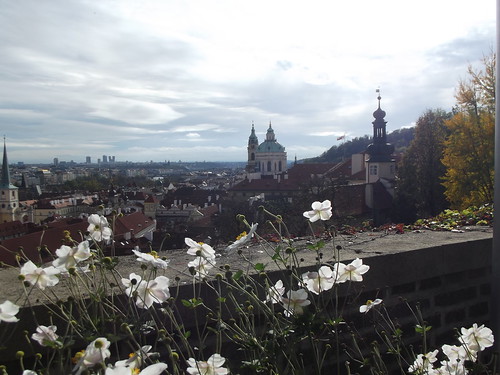
View from the castle

A number of us have returned from ELCE last week in Prague, some of my
thoughts follow:

Most of my time was devoted to participation at the CIP booth and demos
of the board-at-desk software. Sunday was mainly occupied setting up
those demos, Agustin & I did a talk through of b@d to CIP folk with a demo of
the software. We'd intended to run a tutorial of installation of the
application but - in view of networking issues on the conference wifi -
it was just as well that this was cancelled. It was good to meet some
of the cip folk who had only previously been IRC nicks. I expect the
tutorial will eventually be presented here as well as being made
available to a wider non-Codethink audience. We had lunch at a Veggie restaurant Mlsná kavka close to the Hilton where the conference took place. The restaurant's 'about' page is worth a read on their social concern. In the evening we ate at Zlaty Dvur in the old town, live jazz but the food was ok but not great.

Monday was spent making sure the demo worked at the booth - fortunately
my accommodation was close to the conference so I could return & use
that wifi and rule out any unhelpful things that the venue was doing to
the network. In the end I had to use my phone as a wifi hotspot in order
to demo successfully. In the evening I ate at La Boca a Spanish/Argentinian eaterie where I also had a couple of breakfasts as I wasn't staying at a hotel.

On Tuesday a CIP talk where it was good to see our afternoon's demos
advertised on a slide - someone was obviously paying attention to my
emails that morning!
Then heard 'Introducing the “Lab in a Box” Concept with Patrick Titiano & Kevin Hilman
a different approach to the work on board
at desk - I could see that both are useful.

At lunchtime there was a CIP developers meeting - a rather undersized
room for those that wished to attend. Discussion of the 4.4 kernel not
going beyond 2038 and a general introduction of the developers to each
other.

I attended the 2 Codethink talks - Ben Dooks Open Source Neuroimaging
and Ben Hutchings & Agustin on long term maintenance of Linux kernels
both of which got good numbers and seemed to be appreciated.
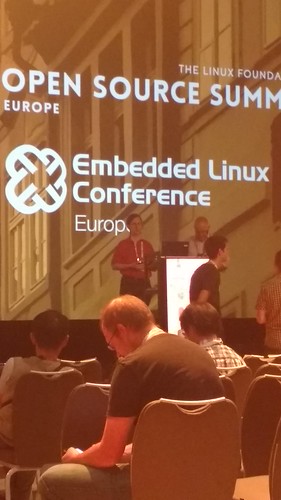
Ben and Agustin preparing to talk

The rest of the
afternoon was spent demo'ing, the software behaved itself and I had a
fairly steady stream of small groups to talk to.

If in Prague, beware of restaurants which don't take cards - Ben D and I
ate at one that evening - we paid in a mix of euros and Cz krone! This was U Bronců I ate here twice so I enjoyed the food despite the paying arrangements.

On Wednesday I got to 2 Keynotes: Challenges in Industrializing OSS and
How Siemens Tackles Them - Jan Kiszka some interesting commitments of
Siemens to Open Source - having worked elsewhere in Siemens a few years
ago this was good to hear publicly though I suppose it's not really news.
Then Dirk Hohndel interviewed Linus Torvalds - a pg presentation so he didn't
get to give his views on c++.

I appreciated the paper copies of the conference schedule in place of
the dreadful e-timetable the web provided.

Eventually I saw bits of Prague in daylight and finally assisted Daniel Wagner
with a partial installation of b@d on his laptop.
The conference buffet was in a strange rabbit warren of a historic Prague building
but it soon became far too noisy and a group of us retreated to a coffee
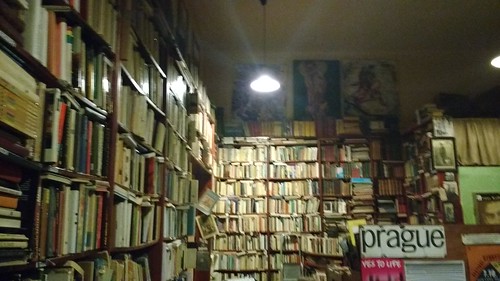
house / book display Ouky Douky on the other side of the Vltava.
IMG_20171025_204251176
(not a good photo apologies!)

The full photo album for the trip is on flickr.

Next year's ELCE will be in Edinburgh - I expect there'll be even more of a Codethink presence!

Thursday, June 22, 2017

CIP testing

A catchy title - but I see there's been no mention at all here (probably deliberately) of my current employer Codethink, so a brief mention of the product I was involved in which released at the end of last month - follow @cip_project on twitter or read the blog entry here. The code - available in the open for download is for creating a virtual machine on your local machine for the building and testing of long term support Linux kernels. Or you can just admire this photo of my desk at work! The beaglebone black board being tested is just in front of the large monitor.

I've now been with codethink for 12 months and am enjoying the challenge!

Wednesday, June 03, 2015

Microsoft and ssh

Richard Smedley tweeted about this msdn page about the coming Microsoft implemented ssh. Those of us using other operating systems have been using ssh for many years and there's putty an implementation of it (not by Microsoft) for windows - ssh enables remote logins with secure authentication, public private keys etc, wonderful for managing systems you're not sitting at! Some quotes from that article (rememeber this is a page on msdn written by the team going to implement ssh):
As Microsoft has shifted towards a more customer-oriented culture.
as opposed to what they have been doing??!!
A follow up question the reader might have is When and How will the SSH support be available? The team is in the early planning phase, and there’re not exact days yet. However the PowerShell team will provide details in the near future on availability dates.
Finally, I'd like to share some background on today’s announcement, because this is the 3rd time the PowerShell team has attempted to support SSH.
If at first you don't succeed?

Friday, May 30, 2014

Updating Ubuntu

Earlier in the week I got around to updating the desktop to the new release of (K)Ubuntu 14.04 - I run the version using the KDE desktop - though I have lots of the ordinary Ubuntu packages installed too. Around 50 mins from the projected end of update the machine locked up - I was doing various other things at the time on it which may have contributed to this. No response to anything from mouse/keyboard - the sysrq magic keys had no effect either, but I was running an ssh server on the dekstop so I logged in remotely and rebooted.
When it came up again the boot screen appeared to think it was running 14.04 (rather than the previous 13.10) however at the login screen neither keyboard nor mouse got any reaction (and the ssh server wasn't running the machine hadn't registered with the router). I tried re-booting a couple of times with no effect.
I then broke into GRUB (at boot - press down the shift key) and booted the minimal 13.10 install (still there!) and ran the dkpg fix option (I previously tried minimal with 14.04 which again failed) which ran to completion. A reboot then gave me a working system!
Looking at the upgrade log file the last lines of /var/log/dist-upgrade/term.log read as follows:
Setting up openssh-server (1:6.6p1-2ubuntu2) ...
Installing new version of config file /etc/init/ssh.conf ...
Installing new version of config file /etc/pam.d/sshd ...
ssh stop/waiting
ssh start/running, proce
Yes it stops there! I had it down as a problem with the NVIDIA graphics driver, this might suggest something else - I wasn't connected via ssh when I was running the upgrade so it wasn't a a case of the connection dying. Still puzzled but putting this here in case it helps anyone else.
The other problem I found (so far!) is that Ctrl-Space doesn't appear to do anything - I use this key combo a lot - in Emacs. So it was a bit painful, a websearch reveled that ibus was the problem so I ran ibus-setup and stopped that grabbing Ctrl-Space for 'next input method' and assigned it to a different key.
So far everything else appears to work...

Wednesday, March 05, 2014

You need to recompile the kernel

I was searching through some old papers this morning and came across a document describing how to set a Linux machine up to retrieve email from freeserve. In amongst the 10 pages (or so) was this gem:
So if you didn't have the dummy interface and didn't have ethernet (fairly common in those modem based days) you needed to recompile the linux kernel to enable it. I sign of how far things have moved since then! It then goes into the gory details of sendmail....

Monday, October 17, 2011

The Oneiric Ocelot upgrade

The latest version of ubuntu was released last week and over the weekend I decided to try upgrading - this desktop was running the ealier version which had already been installed a few weeks, so I thought it would be pretty smooth as I hadn't had too much excuse for tweaking this machine! I think things are now running ok so let me highlight the issues I had:
  • The upgrade of samba crashed - it gave a few error messages but didn't stop the overall upgrade - and I've reported bug 875172
  • On completion of the upgrade I rebooted all went smoothly but I found that there was no sound - I deleted my .pulse directory adn logged in again and sound was now fixed.
  • I use vm from within emacs for my email but occasionally use kmail in the case of graphic/link heavy emails - on Sunday I read a review of email clients in Linux Format magazine which gave kmail a resounding last place so I was thinking about migrating..but to that point I hadn't yet run kmail in the upgraded ubuntu. I tried running kmail and was confronted with a migration dialog - the new kmail uses a different email backend for storing data. Alas the migration failed... so I then started web searching! The problem was that akonadi was failing to start so I couldn't even view kmail with no unmigrated emails! To start akonadi I tried a manual
    akonadictl start
    but that still failed, I did a lot of searching, thought about moving to thunderbird - but there's no easy migration of data there.. and eventually I spotted this bug report which gave this recipe:
    sudo aa-complain mysqld
    sudo aa-complain mysqld-akonadi
    sudo /etc/init.d/apparmor reload
    akonadictl start
    I've not messed around with apparmor before so I wasn't clear as to what it did but I went on trust and the last command started akonadi ok. I started kmail and it ran! but with no data, I shut it down and tried the advertised command
    kmail-migrator --interactive
    But that complains the migration has already been done! You need to read the instructions here:
    If you have already attempted to run the migrator and it failed, you can re-run it manually by first deleting your
    ~/.kde/share/config/kmail-migratorrc file and your
    ~/.kde/share/config/kmail2rc file.
    Then you will need to run the migrator manually by hitting Alt-F2, and entering the following:
    kmail-migrator --interactive
    The program will run, and all your accounts and mails will be moved over to the Akonadi system.
    And following that kmail now runs ok. I hope the collection of the above instructions in one place helps anyone else struggling with the same problem - I don't know whether it's a general problem or just due to the previous configuration of the machine. For comparison,here are my experiences with the upgrade of the previous ubuntu release. One machine upgraded, 2 more to go!

Sunday, April 03, 2011

reboot? - this is linux!

Just had a scary few minutes, this morning I was unable to logon the home mailserver (running mandriva 2010.1) across the local network - the process connected, opened up a terminal window and just hung, never getting to a prompt! Sunday lunch over, I tried opening up a term when sitting at the machine with the problems and there too, no xterm! Fortunately I was already logged in and had root (admin) access. Looking back in the logs I saw a crash in ssh (which I use to get onto the mailserver from other machines) - in ssh-block-Allow. I could understand ssh problems causing a problem with remote access - but why was local access a problem? Even a Control - C failed to interrupt whatever was running - and I could check that nothing was hogging the CPU.
I looked through any recent updates to the machine and saw nothing likely, googling only gave me my tweet for help(!) so I hurriedly connected the backup drive, did a machine backup - I was glad I already had root access and then tried a reboot. This failed to work - wouldn't shutdown with a message:
could not log bootup - already in use
so a magic key shutdown (using the sysRq key) was resorted to.
A few deep breaths later and the system rebooted and I logged in - then I realised the consequence of the ssh crash - one of the system scripts which run when you open up a terminal checks whether the machine is running ssh and, if so, asks you to unlock the key - for passwordless logins - if ssh is confused - as it evidently was - maybe that script was hanging there.
So I guess killing and restarting sshd would have avoided the reboot as to why ssh was broken that's another issue!
At least the server had been up for a month so it wasn't too unstable!

Friday, February 11, 2011

fluxbox and ubuntu screen size issues?


kdeapp-menus
Originally uploaded by rajmarshall
I use fluxbox and on both my ubuntu installations it appears that there is a problem with that window manager - when I try to maximize a window it expands to cover just the lower half of the screen. In addition some applications (those using Qt) popup menus in unexpected places! If you look at the screen shot of amarok - I've just clicked on Settings but the menu appears half way down the window - at the place where maximise thinks is the top of the physical screen. If I 'maximize' the application - or move the window down to that point - then the popup menu appears at the correct point. Is anyone else using fluxbox with ubuntu - are you also seeing this issue?
I also use fluxbox with the mandriva Linux distribution and there maximise etc works correctly, so either they#ve applied a fix to fluxbox or something at a lower level is not signalling screen size correctly.

Sunday, November 07, 2010

Screenshot

I've not had a screenshot up here since November 2009 so here's a current one!

This is my laptop running ubuntu's version of fluxbox with a cairo dock at the middle bottom. Applications running are (from left) gkrellm - giving machine status, amarok - for listening to music, and a wterm - for commandy stuff.

Sunday, March 28, 2010

Steps to Lucidity

Some of you might venture to disagree with the title of this posting as it is an account of the various issues I've had (so far) with the upgrading of the laptop to the beta version of Lucid Lynx the next release of the Ubuntu version of the Linux/FSF operating system. I did this as part of the global bug jam at Madlab in Manchester.
I started off with
sudo update-manager -d
which told me there was a new release (in Beta) I proceeded and almost immediately got a python crash:
ImportError: No module named deprecation
a bit of web searching gave me the solution and I downloaded and installed python-apt_0.7.94.2ubuntu3_amd64.deb. This took me once I restarted the upgrade, a little further until it stopped with the cryptic error:
E:Error, pkgProblemResolver::Resolve generated breaks, this may be caused by held packages.
and told me that I might be trying to install a beta version (gosh!). This took me a little time to resolve, did a lot of searching around broken packages and removed a few which really ought to have long gone but a look at /var/log/dist-upgrade/main.log and the apt.log should have told me that the problem was the empathy package (an instant messenger) which claimed that there was a broken depends upon empathy-common (which I didn't have!) I removed empathy and it started downloading the new version of the operating system (all 2000+ packages!) this took some time but eventually prompted me to reboot. I rebooted and got to the screen where I select which operating system to run and the new version wasn't there! I tried the old version(which was still there and inevitably that crashed nastily as the only thing left of that was the Linux kernel! Fortunately I had installed other versions of Linux on the hard drive - if not I could have used a rescue disk - and from one of those edited the grub menu - which allows selection between them - to include the new version.
Reboot, select the Ubuntu Lucid and I got a black screen with a scary message about ureadahead having crashed and mountall being unable to connect to Plymouth (that's the graphical boot screen not a port in the south!). Booted back to a alternative working system to web search and after quite a few false trails looked at the /etc/fstab and spotted a line which I'd included to mount /proc/bus/usb which got Aladdin dongles working with the previous version of Ubuntu (as I no longer have the Aladdin dongle - used by my ex-work - I didn't need it). Then having edited that file (mounted the Ubuntu partition from the working OS) I rebooted, I still see that message about ureadahead but it quickly vanishes - so it was a red herring apart from telling me where in the boot process it was bombing out - and I could login to the upgraded Lucid Lynx system. Thanks to all at the bugjam for assistance. Now for testing of the running system!

There you are, wasn't that Lucid!
I meant to take some pictures of the day but, alas forgot!
Later Looks like the issue with grub was due to my having installed another version of Linux which, without asking, moved the MBR (master boot record) somewhere else where the Ubuntu system wasn't expecting it!

Tuesday, January 05, 2010

Imlib problems with mandriva 2010?

I'm trying to debug a windowmaker style dockapp under mandriva 2010 - it's called E Notes for putting post-it (am I allowed to use that phrase?) style reminders around the screen. It needed some fixes to get it to build and then I decided I needed to get my head around imlib (which that dockapp uses) to know what I should be looking for to solve a particular problem - the dock app was giving me windows with a black foreground and a black background so it's hard to tell what's going on :-)

So to get a better knowledge of imlib I googled and tried downloading the program I found here:
Imlib programmers guide
The first one - written for Xlib - is meant to produce a window displaying a specified image until the window is closed - I compiled (no warnings even with -Wall) ran it and I get _nothing_ no output at the command line, no window opens, sits there doing nothing until I Control-C it.

Puzzled, I then tried moving it onto a ubuntu system and once I'd built it there (that's another story, imlib1 is carefully hidden in the karmic release) it runs fine absolutely no problem, image displayed ok

So my feeling is that - at least on this system - imlib1 is broken under mandriva 2010, I have installed (at least including all imlib ish rpms)
imlib-1.9.15-8mdv2010.0
libimlib1-1.9.15-8mdv2010.0
libgdkimlib1-1.9.15-8mdv2010.0
kdepimlibs4-core-4.3.2-1mdv2010.0
libimlib2-devel-1.4.2-2mdv2010.0
libimlib2_1-filters-1.4.2-2mdv2010.0
libimlib2_1-loaders-1.4.2-2mdv2010.0
libimlib-devel-1.9.15-8mdv2010.0
libimlib2_1-1.4.2-2mdv2010.0

I'm using the imlib-1 here, anyone else seen this or has the installed
libs able to try that small app? Maybe I should try building imlib from scratch?

Once it's running I can make the buildable version available on the web and then I can start adding various extra features I have in mind..!

Tuesday, November 10, 2009

Wine still works!

Following my mandriva upgrading - I keep on being impressed by the speed - maybe I should have been appalled by the slowness of 2009.1 (and I think 2009). I was just checking, last night that wine - unfortunately not the drink, it's a Linux application which enables those apps which, alas, aren't ported to linux to run in this environment - in some cases they run as fast as they do in native windows. So here is a terragen render, runs pretty much as in windows and this image took around 10 minutes to produce which, I'd say, was impressive.

Monday, November 09, 2009

Upgrading to mandriva 2010

I spent a bit of time this weekend upgrading two machines from Mandriva 2009.1 to 2010. Just a few comments and pointers which might be helpful to others.
I started with a machine which is a little lacking in memory (just 256meg), I initially tried an upgrade from DVD but that crashed before getting to the 'do you want to upgrade' question, I assume this was because of the lack of memory. As I wasn't certain whether it was a DVD problem, I mounted the original downloaded ISO image and put the 4gig of rpm files into /var/cache/urpmi/rpms just to avoid having to download them all again. I then attempted to follow the procedure outlined here though I used the command
urpmi --wget --no-verify-rpm --auto-select -v --allow-force that page is a little confusing as to which options to use. This stopped after only upgrading a few packages and I found I had to do a urpmi kernel and then a repeat of the first urpmi --wget --no-verify-rpm --auto-select -v --allow-force to get the upgrade to really start. It went pretty smoothly considering the low power of the machine, I just had to confirm that certain packages really should be upgraded (maybe I should have used the --force option but it's good to know what is being forced!). Upgrade finished, that machine runs kde4 if a little slowly. With fluxbox as a window manager it is very responsive!
Then onto the mailserver (and my main home machine), the upgrade DVD booted without problems and I just set the upgrade going, went to bed, found it had finished next morning and completed the upgrade with a reboot - very, very straightforward. The only two issues so far have been:
  • the loss of the nvidia driver - post upgrade it was using the nv driver which is a little slow for 3D/crack-attack/googleearth, I'd forgotten how to re-install this - go to 'configure your computer' view the hardware, select graphic card and 'configure' and the appropriate (non-open) driver will be downloaded and installed.
  • The other problem has been with sound and amarok, I also like to use fluxbox on this machine, but sound wouldn't work until I logged in with KDE4 as the environment, amarok now works in fluxbox but the sound is choppy (which it isn't with the KDE4 environment. I've turned off pulseaudio but presumably there's something within the kde environment which I need to start manually in fluxbox, but, so far, I've not found it!

Here's the inevitable screen shot of the desktop

Oh, and another thing, mandriva doesn't appear to have an rpm for MyPasswordSafe which I've used for quite a few years to keep all my passwords including the one for kwallet (kde's password system which some applications insist on using), I have a copy of MyPasswordSafe in /usr/local/bin which runs fine in fluxbox but falls over with kde4 which is a bit of a problem!! The code off the app website won't build on this system claiming that ui file is too old (pre KDE 3.3) - but the latest version of Ubuntu has a working MyPasswordSafe in its repository, maybe I need to find Ubuntu's source for this?
Oops, forgot to add the summary that 2010 is, in my experience, far more responsive than 2009.1 everything just feels faster (and that's even if I'm running with KDE!)

Saturday, October 31, 2009

Manchester goes Karmic


Watch the netbook!
Originally uploaded by rajmarshall
I was at the Manchester Ubuntu Karmic release party last night at the Pitcher and piano. Not as focussed as the Jaunty do earlier in the year. A good get together though! I'd upgraded my work laptop earlier in the day - just so it was ready for the evening, went slowly but smoothly - the only issues I have is I seem to be constrained to use kdm as a login manager - before the upgrade I was using gdm
sudo dpkg-reconfigure gdm
doesn't seem to do it. I shall have to try fiddling around in /etc/X11. (Later - ah this is gdm,it just looks rather different and at the monent has no, well not many, options on configuration).
Before the upgrade I was using firefox 3.5 which wasn't the 'official' version, post upgrade, 3.5 is official but the browser has my bookmarks/saved tabs and passwords from 3.0 and the ones from before are nowhere to be seen! A colleague has expereinced issues with an identical ASUS laptop and the nividia driver for the G9650M GT graphics card. It seemed to be ok for me but once I started something kde related, I too, got graphical artifacts (junk!) all over the screen. Known bug with the latest nvidia driver and that card (happens on both Linux and Windows) and they don't appear to be in a hurry to fix it. I shall try keeping away from kde and see what happens! My other photo from the evening is here.

Monday, May 04, 2009

Upgrading Mandriva to 2009.1

(Beware, this is fairly hardcore geekery, but do read the link to the Mandriva release!)
Since my last upgrade a newer version of Mandriva has been released - last week - and this time I decided to be less conservative and do an early upgrade - I normally wait at least a month for the bugs to be ironed out!
Again I tried it on another machine before upgrading the email server - so I found out that it would be good to remove kdelibs-common
urpme kdelibs-common
which gets rid of any remaining traces of kde3, before starting the upgrade - where I largely followed this procedure adding a --noclean to the urpmi command to prevent deletion of the downloaded files so that I could use them to upgrade machine two. Note, those are the instructions for a 2008 to 2009 upgrade, but the procedure is the same.
Once complete I had two issues, googling solved them, but let me quote them here, with links to the helpful pages:
  • Initially the X server would not start and I had to reboot into safe mode as I couldn't switch to a dumb virtual terminal. I disabled the nvidia driver and ignored that for the moment
  • Once I got to the login screen I found that neither the mouse nor the keyboard worked! Fortunately I had another machine to websearch and found this, so these two commands and a reboot (not really necessary but just to check:
    chkconfig --del messagebus
    chkconfig --add messagebus
    gets the messagebus running at the correct point in the boot process.
  • I then tried getting the nvidia graphics card working - with the default driver various fancy graphics apps fail to run. I'd been getting the following:

    (II) NVIDIA(0): Initialized GART.

    Backtrace:
    0: /etc/X11/X(xorg_backtrace+0x37) [0x8135f97]
    1: /etc/X11/X(xf86SigHandler+0x56) [0x80cca26]
    2: [0xffffe400]
    3: /usr/lib/xorg/modules/drivers//nvidia_drv.so [0xb7074c48]

    Fatal server error:
    Caught signal 11. Server aborting

    Again I found a bug report here. Adding 'nopat' to the options in /boot/grub/menu.lst also solved the problem for me

Saturday, May 02, 2009

That 'one' piece of software I need

Wise words from tante:
But let us look at the people claiming that they need Photoshop on Linux and they'd switch. From my experience those people often don't really use the power of Photoshop, it's just the tool they use for rather simple tasks. Why? Cause it's free. When "a friend" sets a new computer up for someone they'll more often than not slap all kinds of pirated software on there, just cause Windows doesn't really come with a lot of software: You will get a pirated MS Office, pirated Photoshop and all kinds of other "expensive" software. Why? Because when something is expensive, it's also "good". It's a very common perception that a software that you have to pay 300 Euro for is better than one that's free. Not cause you know why or cause you need some feature, it's just cause those programs feel like they are worth something.
Having spent some time talking to someone who 'really needed' multiple copies of Microsoft project this week and free alternatives just weren't the same because they were free. Go and read the whole article!